Excess Baggage
Worried about overpacking on the day of departure?
You can purchase excess baggage online in advance
How to purchase excess baggage
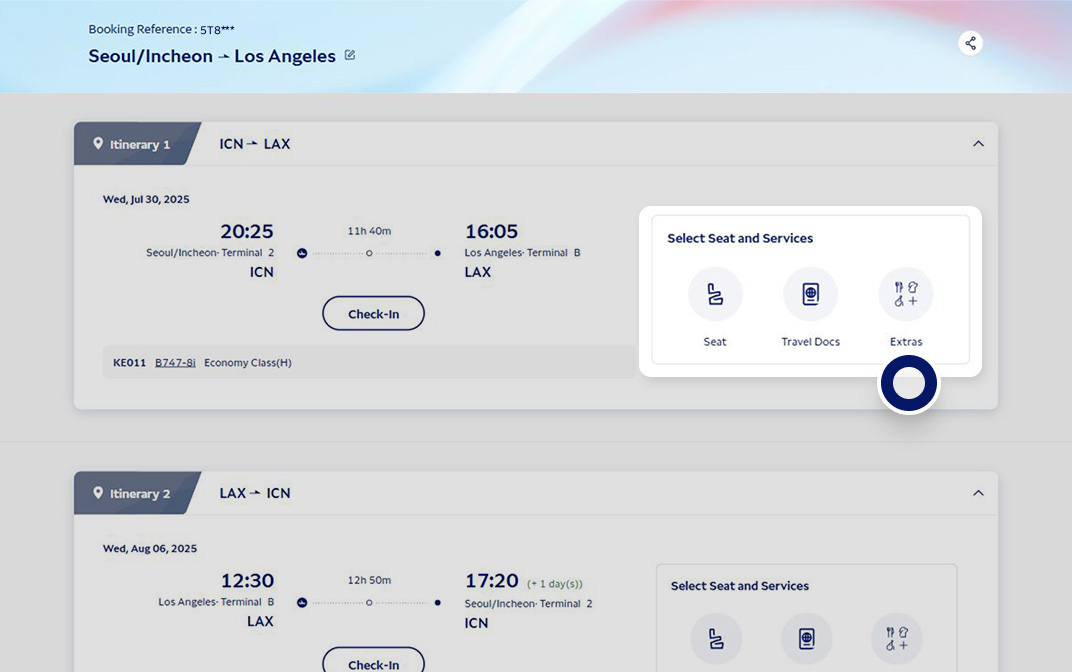
My Trips
Find your booking and click on the [More] button.
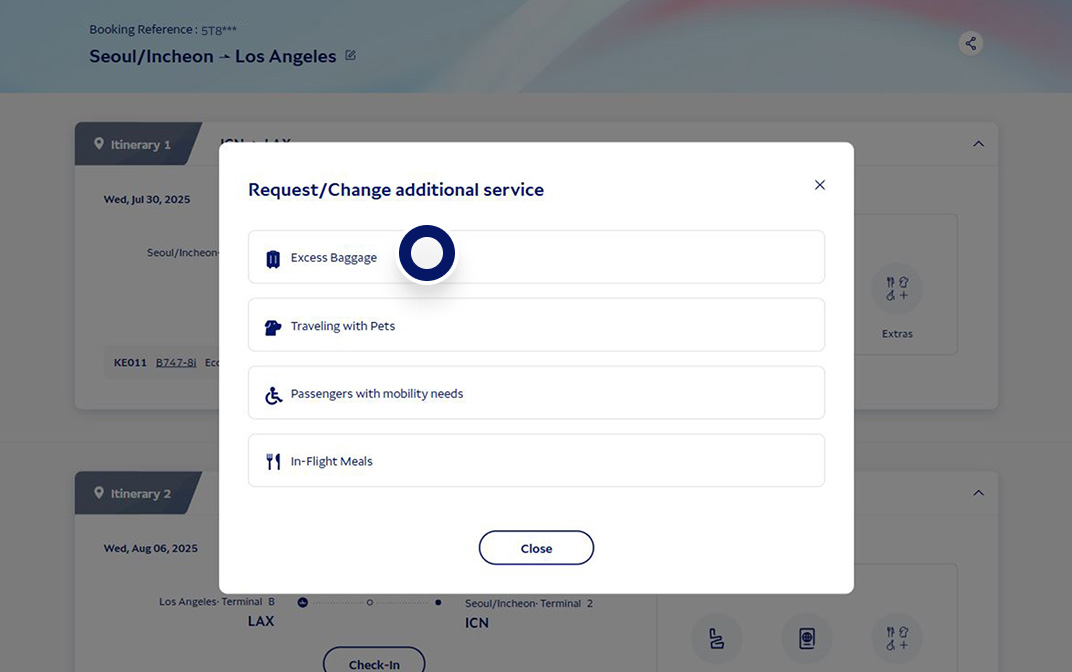
Select [Excess Baggage]
Click on the [Excess Baggage] button.
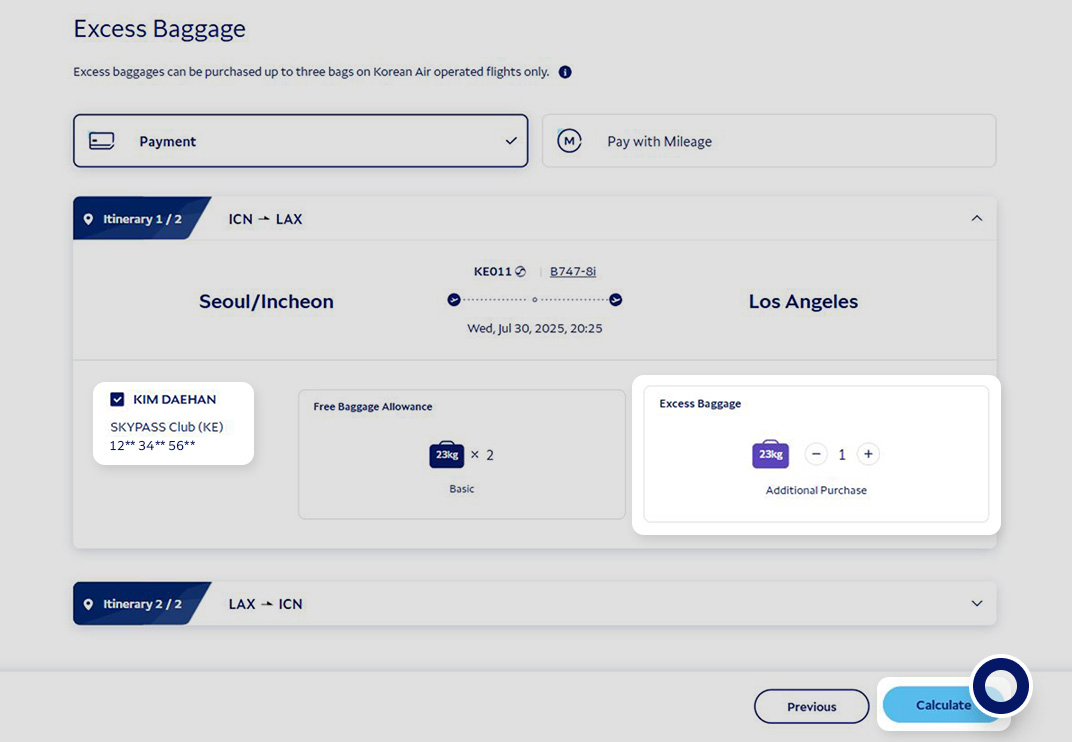
Select passenger
Select the passenger you wish to purchase excess baggage for and enter the number of additional bags needed. Next, click the “Calculate” button at the bottom of the screen.
Purchase additional excess baggage
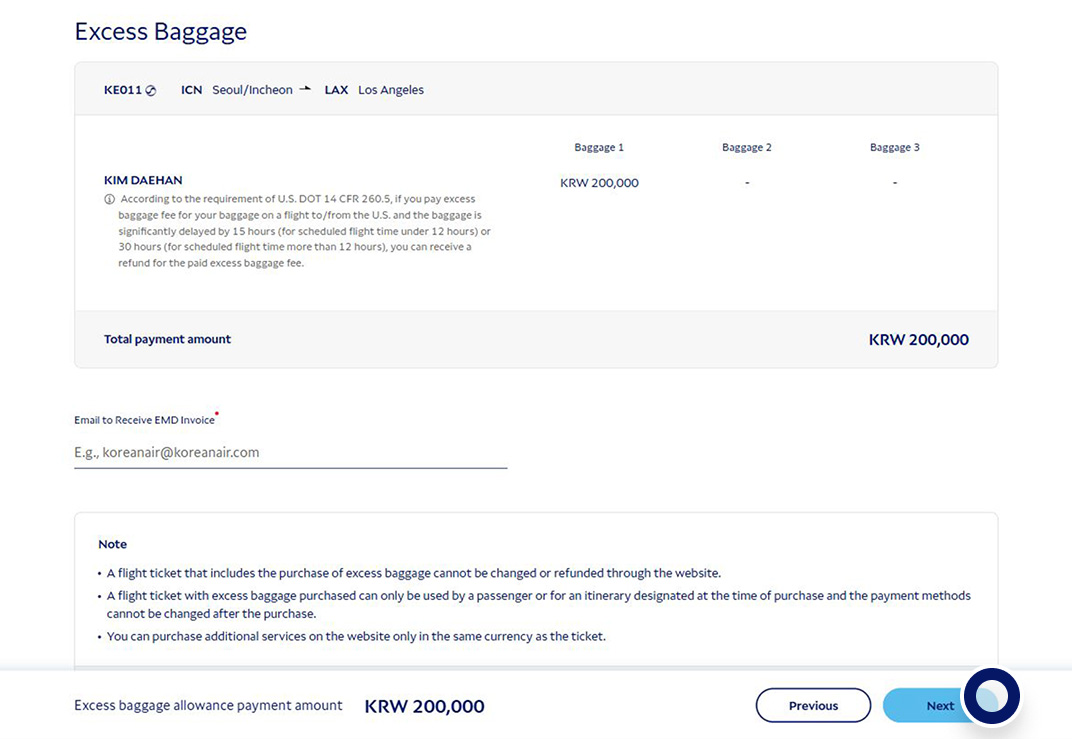
Check the purchase amount and click “Next” at the bottom of the screen to purchase.
Excess baggage fees
Curious about excess baggage fees?
Calculate your baggage fees with our checked baggage calculator, or view a table of baggage fees by segment.
Excess baggage refund
Request a refund for purchased excess baggage in My Trips Excess baggage refund guide I would like a refund for the excess baggage I purchased in advance
Refund excess baggage purchased in advance
- To request a refund, go to My Trips, then click [More] > Change or Cancel Trip, then [Refund Paid Additional Service]. (My Trips)
- If unable to request a refund online, please contact our Service Center.