Booking Guide
STEP 1
Search flights
Enter your itinerary, date of boarding, number of passengers, and cabin class.
STEP 2
Select a fare/flight
Select the flight and fare you want.
STEP 3
Enter passenger information
Enter the name, gender, date of birth, phone number, and email address of the passenger.
STEP 4
Select a seat or purchase excess baggage in advance
You can select a seat or pay for excess baggage in advance depending on the fare.
STEP 5
Pay for the flight ticket
Pay for your flight ticket after reading the fare rules and terms of carriage.
Learn more about booking flights
Codeshare flights are operated by other airlines but sold under a Korean Air flight number. How to check and book a codeshare flight What are codeshare flights?
Ticket handling charges apply to tickets purchased or changed at the Service Center, a branch office, or an airport. Ticket service fees When are ticket service fees charged?
We've collected frequently asked questions to help you find your answers. FAQs Do you still have more questions?
How to redeem awards
How to book and check a codeshare flight
Korean Air has codeshare partnership agreements with 37 airlines to provide you with the best service, so you can travel conveniently to more destinations.
Codeshare flights guide
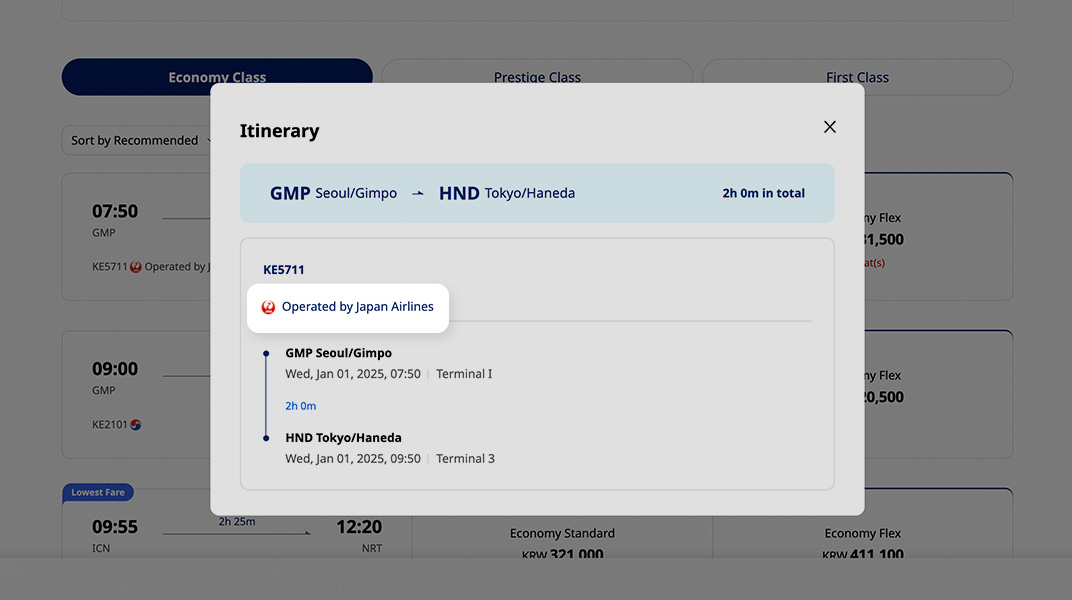
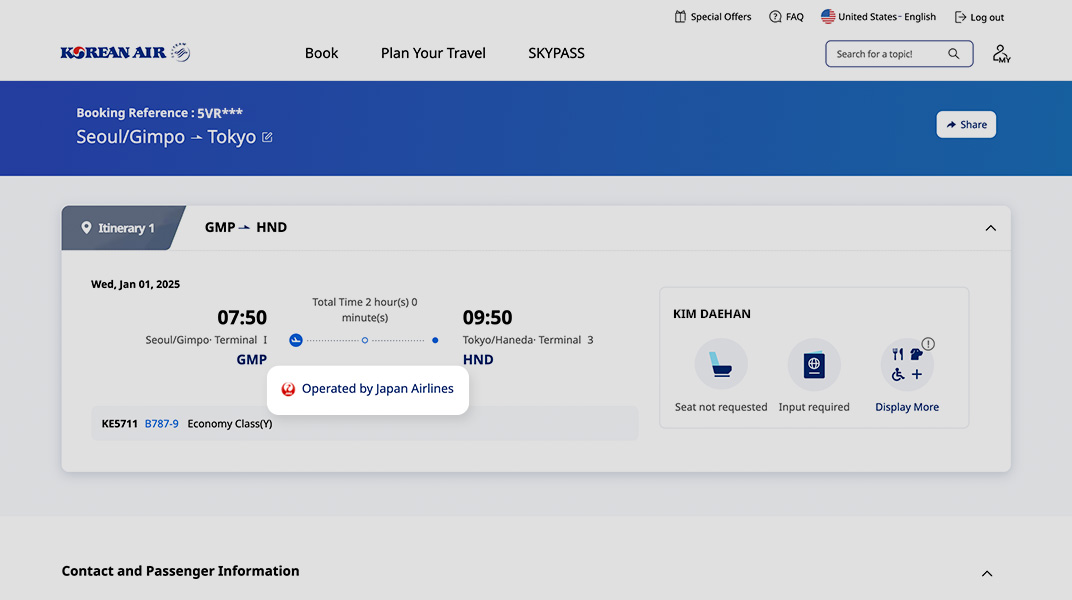
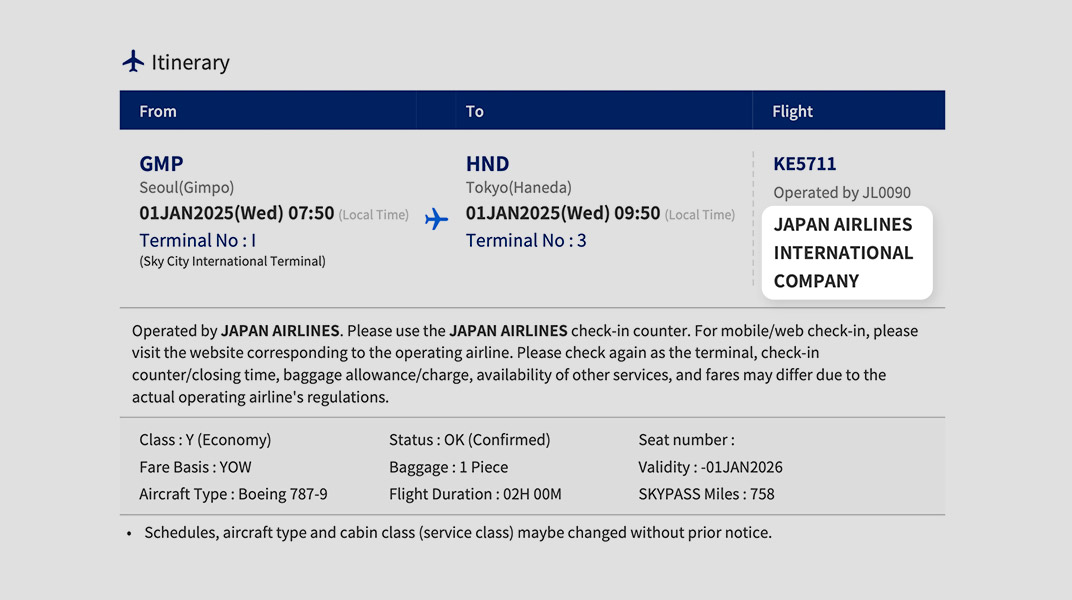
- Codeshare flights are operated by Korean Air partners.
- Book flights and make changes on the Korean Air website or mobile app.
- Airport services and in-flight services are provided by the partner airline.
- Please check in at the counters of the operating airline.
- Baggage regulations and check-in time are as per the regulations of operating airline.
- The amount of mileage accrual is based on the Korean Air flight number and booking class.
How to check a codeshare flight
When searching flights on the Korean Air website
When checking itinerary details through My Trips on the Korean Air website
e-ticket itinerary
Ticket handling charges
KRW – ₩
International
KRW 30,000
Korea Domestic
KRW 5,000 (Including VAT)
USD – $
International
USD 30
CAD – $
International
CAD 35
JPY – ¥
International
JPY 3,000
CNY - ¥
International
CNY 200
TWD - $
International
TWD 900
HKD - $
International
HKD 250
EUR – €
International
EUR 30
GBP - £
International
GBP 30
IDR – Rp
International
IDR 430,000
SGD - $
International
SGD 45
CHF - Fr
International
CHF 30
CZK - Kč
International
CZK 715
AUD - $
International
AUD 45
NZD - $
International
NZD 45
THB - ฿
International
THB 950
MYR - RM
International
MYR 150
Ticket handling charges cannot be refunded.
Exemptions
- First and Prestige flight tickets
- Excluding upgraded tickets for domestic flights
- Tickets for unaccompanied minors and infants under the age of 2 who do not occupy a seat
- Child discounts are not included in exemptions
- Tickets for an additional seat for carrying valuables or the convenience of a passenger
- Prepaid tickets and tickets purchased with a credit voucher
- Reissued tickets for international flight changes
FAQs
Changing the name of a passenger on a ticket is not permitted after the booking or purchase.
However, a one-time name correction on the ticket is permitted only if it is confirmed that the passenger is the same person and the case falls under one of the exceptions below.
[Exceptions to ticket name correction]
- In case of a legal name change.
- When correcting three or fewer letters in the English spelling, regardless of the surname or given name.
- When correcting an English name to a Korean name.
- When correcting a name due to a change of gender.
- If you need to correct the name on your ticket, please contact our service center.
- If you booked through a travel agency, please contact the travel agency for assistance.
- The reissue fee is waived for ticket name corrections.
- For itineraries that include other airlines, name/spelling changes may not be possible, so please be sure to check with the relevant airline in advance to see if changes are permitted.
- Your e-Ticket Itinerary/Receipt can be viewed, downloaded, and emailed from [My Trips].
(Path: View Details > View e-Ticket/Receipt)- If you are not logged in, you can find your reservation under [Find my trip] by entering your booking reference number, departure date, and passenger name. (Please note that if you are not logged in, the e-ticket can only be sent to the email address registered with the reservation.)
- For e-Ticket Itinerary/Receipts that are no longer available in your reservation list after your flight, please contact your travel agency or our service center.
If you enter your SKYPASS number in your booking information before boarding, mileage will be automatically accrued after your trip is complete.
- [My Reservation List] to find your booking and enter your membership number directly.
(Path: View Details > Passenger Information > [Update frequent flyer number] button under the passenger name) - You can enter your SKYPASS number or a partner airline membership number.
- To change a membership number that has already been entered, please contact our service center.
Information on ticket booking availability and ticketing deadlines.
- Booking availability
- Bookings are available from 9:00 AM (Korea Standard Time), 360 days before the departure date (applies to both revenue and award tickets).
- Ticketing deadline
- Online booking (website/mobile app): Purchase must be made at the time of booking and is available up to 40 minutes before departure for Korea domestic flights and 70 minutes before departure for international flights.
- Other bookings: Refer to the ticketing deadline provided separately or see [My Trips] for details.
When can I book a flight ticket, and what is the ticketing deadline after booking?
Can I edit or change the passenger name after the booking is complete?
Where can I find the e-ticket itinerary for my purchased ticket?
I'd like to enter my SKYPASS number in my booking information to earn mileage.