In-Flight Wi-Fi
wifi
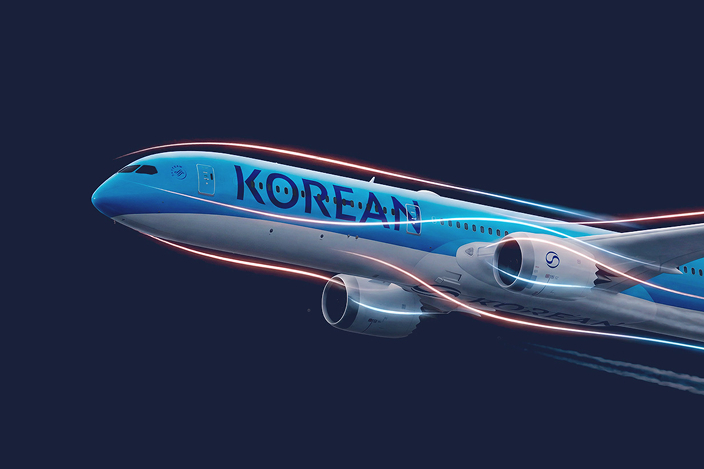
In-flight Wi-Fi
Starlink Wi-Fi
Freely enjoy super-fast internet, as fast as on the ground, even above the clouds. Check trip information for your destination or keep the excitement of your trip going by seamlessly streaming your favorite movies and dramas on board.
Free in-flight Wi-Fi
The same speed as on the ground
Various entertainment
Connect your personal device after boarding and enjoy free Wi-Fi right away.
- At some airports, the service is available after takeoff.
Enjoy buffer-free, super-fast internet even above the clouds.
Freely enjoy a wide variety of content, including OTT streaming, games, and webtoons.
How to connect to Starlink Wi-Fi
STEP 1
How to connect to the network
In your device’s settings, switch to airplane mode, turn on Wi-Fi, and select the “wifi.koreanair.com” network.
STEP 2
Portal access
Enter “wifi.koreanair.com” in the address bar.
STEP 3
Identity verification
Please verify your identity by entering the name and seat number on your boarding pass.
- The service is restricted in the airspace over certain countries (e.g., China, India, and Pakistan).
- This service may not be available due to unexpected circumstances such as satellite communication issues or bad weather.
Starlink Wi-Fi FAQs
This service is available only on flights equipped with Starlink, and you can check for availability in advance on our website by origin, destination, or flight number, or when booking a flight. However, the aircraft may change due to operational reasons on the day of departure, so please confirm final availability after boarding.
Korean Air plans to offer Starlink Wi-Fi on all future flights and is gradually expanding the number of aircraft equipped with the service. For flights on aircraft not equipped with Starlink, in-flight Wi-Fi may not be available, or a paid in-flight Wi-Fi service is available for purchase.
Starlink Wi-Fi is provided free of charge to all passengers, and no separate sign-up is required.
You can use Starlink Wi-Fi on Wi-Fi-enabled devices such as mobile phones, tablets, and laptops, and you can connect it to multiple devices.
The in-flight WiFi uses a satellite network, so temporary disconnections may occur depending on weather conditions or the flight path. We appreciate your understanding that immediate assistance cannot be provided for service disruptions caused by technical factors beyond the airline's control. We will continue to cooperate with Starlink to provide a more stable service.
Starlink Wi-Fi service may not be guaranteed due to unexpected operational circumstances such as same-day aircraft type changes, in-flight equipment maintenance, and inclement weather. Please note that no separate compensation will be provided for service unavailability or poor connection.
Is the Starlink service available on all flights?
Is free Wi-Fi available on my flight?
Do I need to sign up to use Starlink Wi-Fi?
What devices can connect to Starlink Wi-Fi, and how many can be used simultaneously?
What should I do if the Starlink service disconnects during the flight?
I booked a Starlink aircraft, but I was unable to use the Starlink Wi-Fi on the day of the flight.
Purchasable Wi-Fi
Depending on the aircraft, in-flight Wi-Fi can be purchased and used after boarding; please check the instructions and plans below.
How to connect to in-flight Wi-Fi
STEP 1
How to connect to the network
In your device’s settings, switch to airplane mode, turn on Wi-Fi, and select the network named “Korean Air In-Flight.”
STEP 2
Portal access
Enter “wifi.koreanair.com” in the address bar.
STEP 3
Select/purchase plan
Choose and purchase either the internet or messaging plan. (The Korean Air website and mobile app can be used free of charge.)
- You can start using the in-flight Wi-Fi once the aircraft reaches an altitude of 10,000 feet.
- Restricted Airspace: This service is restricted above Syria, Israel, Cuba, and India, as well as on the North Pole route.
- This service may not be available due to unexpected circumstances such as satellite communication issues or inclement weather.
Available plans
Internet service
Messages only
Web surfing, email, music and video (within 480p), and sending messages via chat apps
- Restrictions: Video/audio calls, cloud services
International flights
Short-haul, less than 2 hours
5.95 USD Full flight
Short-haul, 2 hours or more
11.95 USD Full flight
Medium-haul
13.95 USD Full flight
10.95 USD 2 hours
Long-haul
20.95 USD Full flight
10.95 USD 2 hours
Domestic flights
Korea
4.95 USD Full flight
Sending text messages via chat apps
- Restrictions: Video and photo transfer
International flights
Short-haul
4.95 USD / Full flight
Medium-haul
4.95 USD / Full flight
Long-haul
5.95 USD / Full flight
Domestic flight
Domestic flight
3.95 USD / Full flight
Notices
- You can purchase this service on board on the day of your flight, and advance purchases are not available.
- Fares vary depending on the flight segment (long-haul, medium-haul, and short-haul).
- Fares are billed in USD, and international credit and debit cards can be used to make purchases.
- This service is only available on the flight for which it was purchased and must be re-purchased for connecting flights.
- The 2-hour internet service starts immediately after payment, and the timer will not be paused even if you disconnect from the Wi-Fi.
Customer Support for Paid Wi-Fi
Please contact us at the email or phone number listed on your purchase receipt or in the "Contact" section below. Contact Do you have any questions about using in-flight Wi-Fi?
Starlink Wi-Fi
Paid in-flight Wi-Fi
In-flight Wi-Fi Guidelines
Please check the in-flight Wi-Fi usage guidelines below for a pleasant experience.
Wearing earphones is required.
Voice and video calls are prohibited
No unauthorized filming and real-time streaming on board
Content etiquette
When watching videos or playing games, please use earphones for the consideration of other passengers.
For a quiet cabin environment, please communicate with your loved ones via messages rather than voice calls.
To protect the image rights of passengers and cabin crew, filming, recording, and in-flight live streaming (personal broadcasting) without consent are prohibited.
As this is a shared space, please be considerate when selecting your content. Access to some web sites may be restricted for security reasons.
Contact
The in-flight WiFi is a service provided by specialized companies (Panasonic, Viasat); for any inquiries, please contact the email address or phone number listed on your receipt.
Panasonic
- Email
khelpwifi@panasonic.aero - Phone
080-880-0350 (free of charge), +82-2-3498-5904 (fee)
Weekdays 9:00 AM–5:00 PM KST, Korean/English available
Viasat
- Email
khelpwifi@i-wifisupport.com - Phone
080-870-3116 (free of charge), +82-2-2071-7363 (fee)
24-hour, Korean/English available
Short-haul: Japan, China and Northeast Asia (Hong Kong, Taipei, Ulaanbaatar)
Medium-haul: Southeast Asia (including Delhi, Guam)
Long-haul: Americas, Oceania, Europe, Middle East/Africa
Short-haul (2 hours or longer): Japan, China, and Northeast Asia (Hong Kong, Taipei, Ulaanbaatar)
Short-haul (less than 2 hours): Fukuoka, Kagoshima, Osaka, Nagoya, Niigata, Qingdao, Shenyang, etc.
Domestic flight in Korea