Cash and Miles
How to use
Select an itinerary and fare
After logging in, select an itinerary and fare to book a flight ticket.
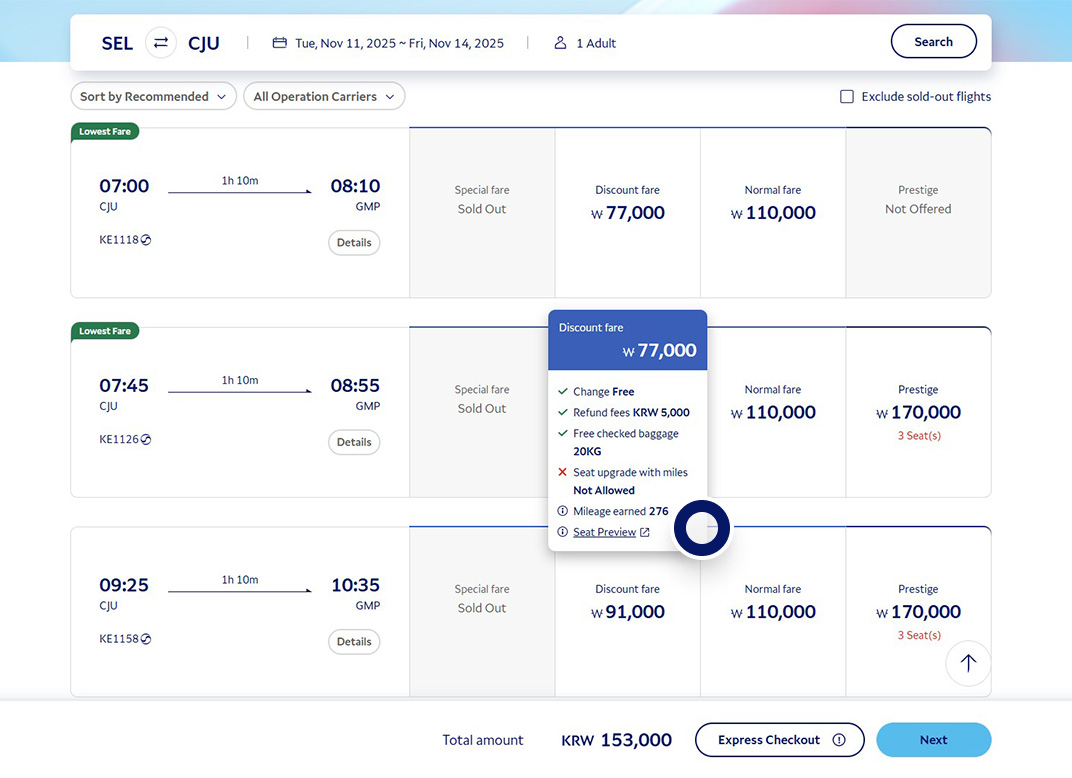
Select a payment method
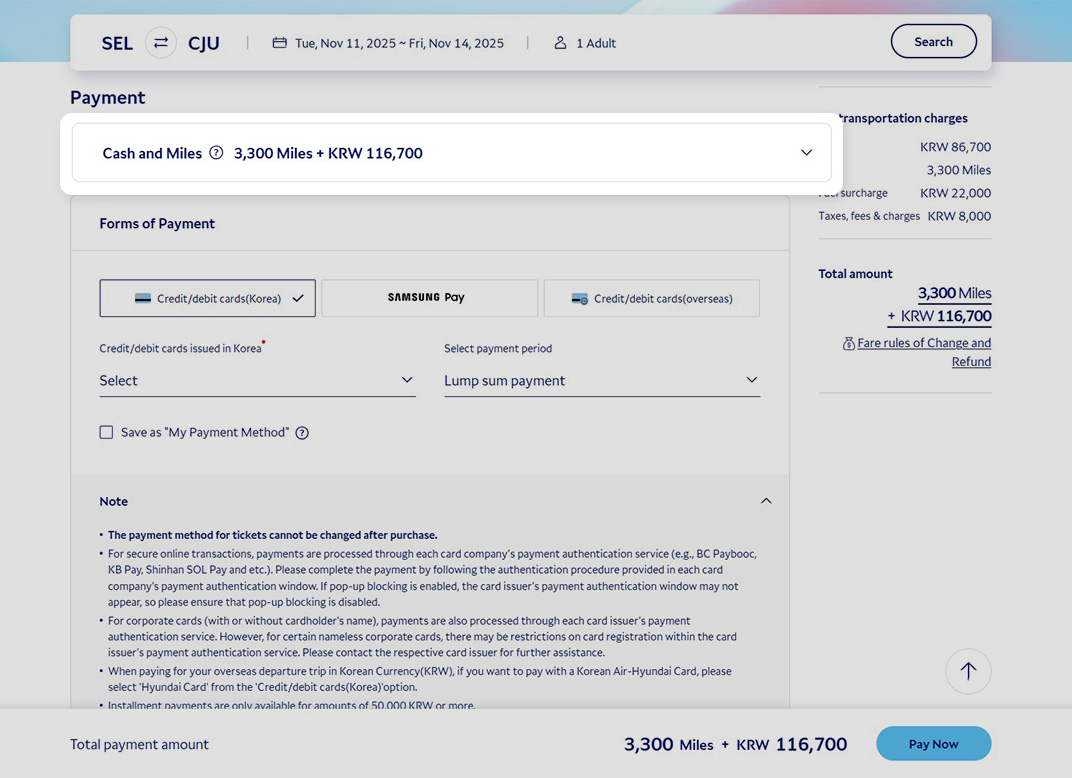
Select Cash and Miles in the payment stage.
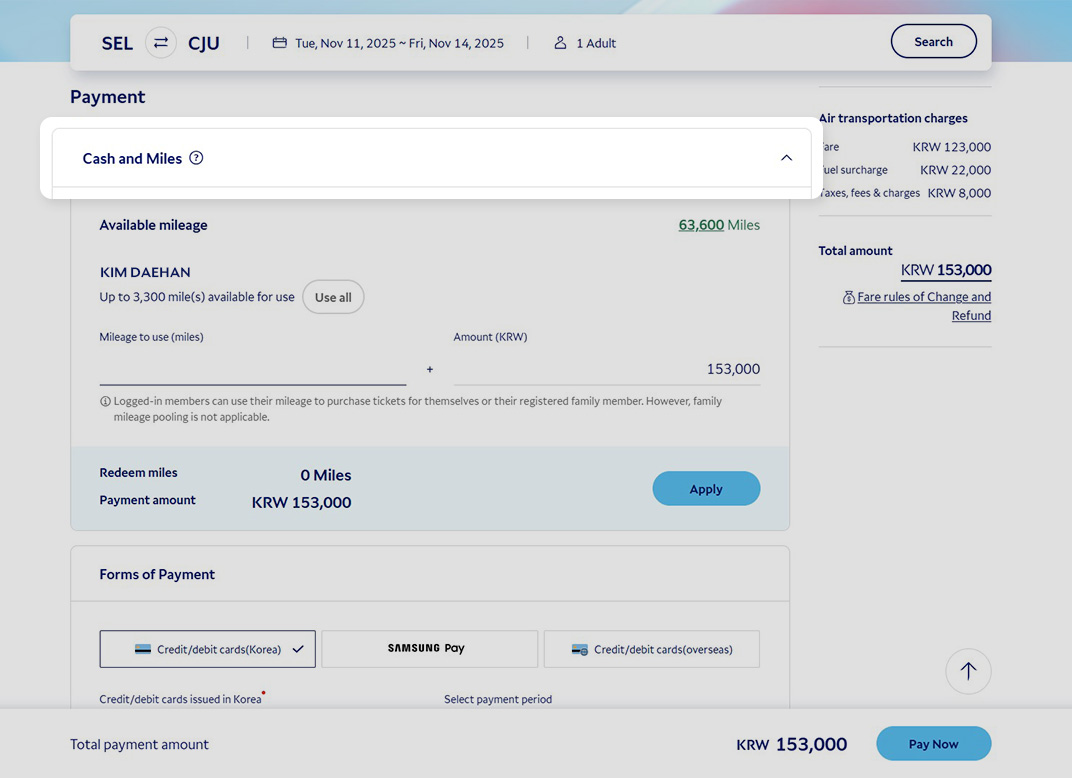
If you can’t find the option
Enter miles to use
Check the mileage you have and the maximum number of miles that can be used. Then, enter the amount of mileage to use.
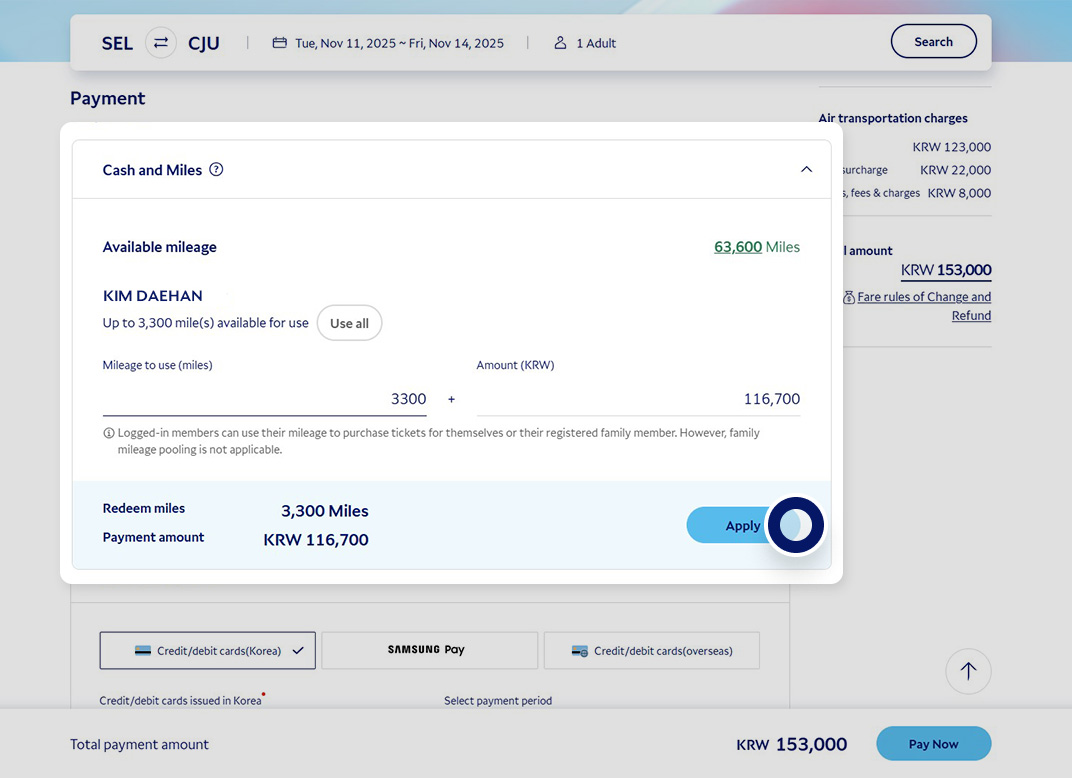
You can also purchase a flight ticket for family members registered on SKYPASS with your mileage.
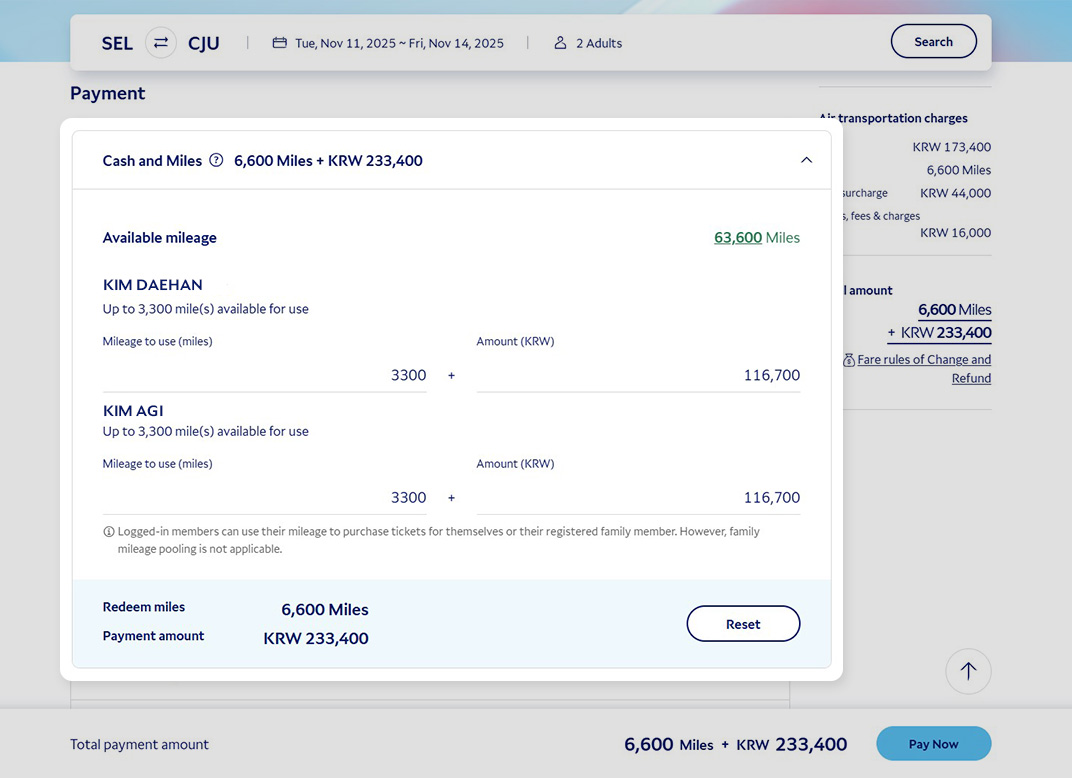
Entering the amount of mileage
Make a payment
Complete the transaction after checking the amount of mileage to use and the price.
Guide
You can use an Award Ticket to book a one-way or round-trip ticket with a Korean Air flight number Available itineraries Cash and Miles Terms and Conditions
The fare rules of the purchased flight ticket still apply Change and refund Change and refund
What you should know
- The reward value varies by season, route, booking status, etc., and is determined at the time of purchase.
- We recommend that you check both an Award Ticket availability and the Cash and Miles payment option when booking your flight.
- You can use your mileage when purchasing a ticket for a registered family member.
- This offer cannot be combined with promotional coupons or other discount coupons.
- Test-run period: from the issuance date until December 31, 2026
Is the Cash and Miles option not displayed when booking?
- You have to be a SKYPASS member to use this service.
- Please log in and try again.
- Payment has to be made in KRW or USD.
- Please set the currency to KRW or USD for the transaction.
- This applies to Korean Air flights only.
- Mileage cannot be used with dormant SKYPASS accounts.
- Please verify your identity through the pop-up [Re-activate SKYPASS account] when logging in and try again.
- Check if you have 500 miles or more.
- You can check your mileage on [My > Mileage > Mileage Overview].
Entering the amount of mileage
- The maximum amount of mileage refers to whichever is less between 30% of the fare and the amount of mileage you have.
- You can use as little as 500 miles and up to 30% of the fare in increments of 10 miles.
- You cannot change the amount of mileage used after completing a transaction. Please make sure you enter the correct amount.
Available itineraries
This payment method can be selected when booking a flight ticket if the following conditions are all met.
- Transaction in KRW or USD
- Route with a Korean Air flight number
- One-way/round-trip itinerary from/to Korea
- Transferring in Korea, except a multi-city itinerary
- Does not include a connecting Korea domestic/international flight
E.g., Incheon–Los Angeles–Incheon: Possible
E.g., Incheon–Los Angeles, New York–Incheon (Los Angeles–New York is an open-jaw travel segment): Not available
Change and refund
- For itinerary change and refund, the fee is subject to the fare rules of the ticket you have purchased.
- When changing the itinerary, the initially deducted mileage cannot be changed or canceled.
- Mileage will be processed prior to cash for ticket refunds, while refund penalties and fees will be deducted from the card/cash payment.
- For ticket refunds, the mileage used for Cash and Miles will be refunded based on the validity period of the initially deducted mileage. Expired mileage is forfeited and will not be refunded.